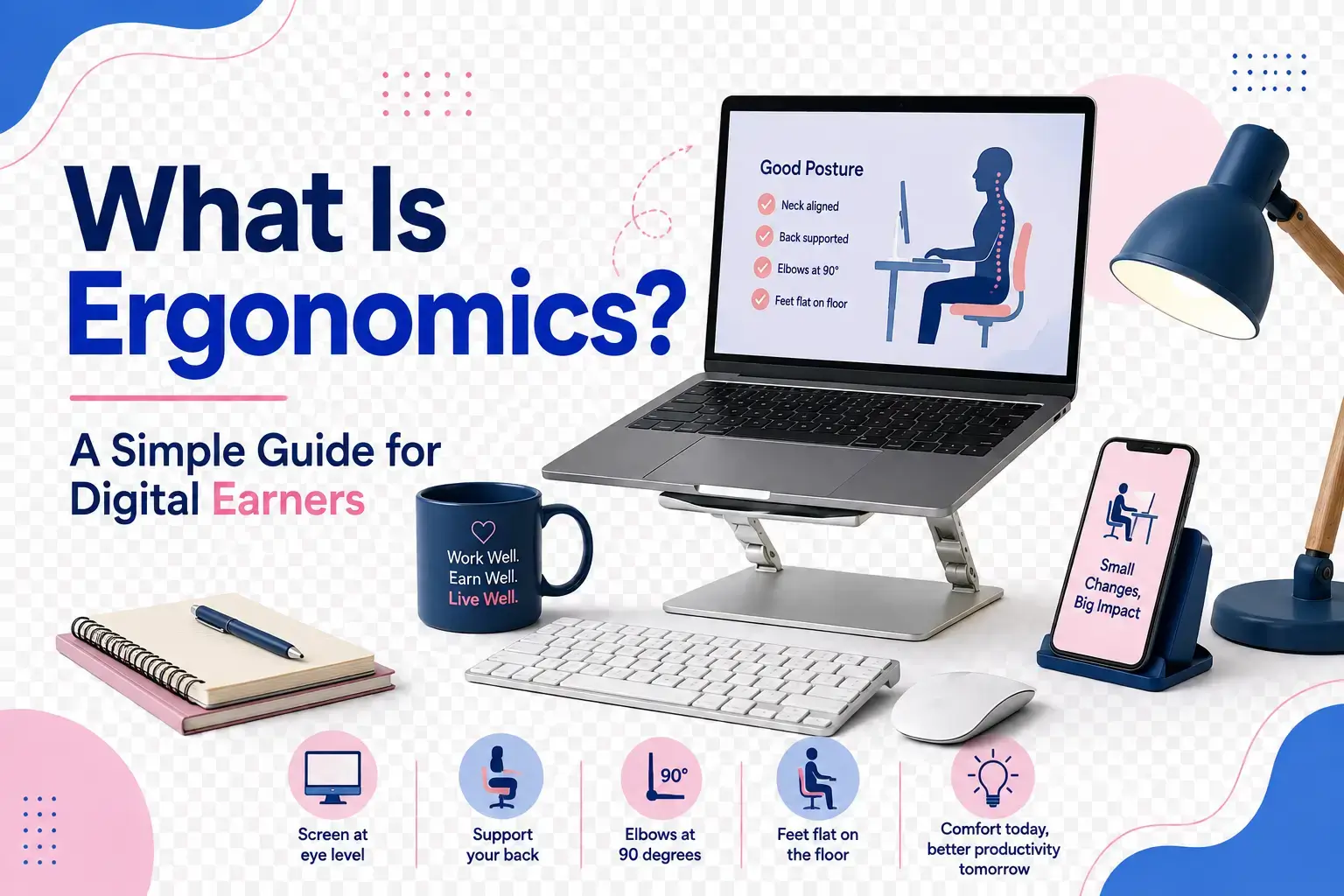
Raise a finger if you can relate to what I’m about to discuss right now. You earn a living from working 100% on your laptop or computer, regardless of your location. On a busy workday, your wrist begins to ache by 3 p.m. Your neck starts to feel stiff even before lunch. Your lower back has started sending complaints you can no longer ignore. The thing is: none of those are random, and still, none of it means your body is failing you. It usually means one thing: ergonomics has been missing from your workspace.
So did you raise a finger? If yes, then you need to read through. If no, you still need to come along to pick up some lessons. You see, ergonomics is the one topic that decides how long you can keep doing your job without pain. And yes, it has to do with your workspace setup, but let me explain further.
What does Ergonomics mean in simple words?
Ergonomics is the science of designing your work tools, furniture, and workspace to fit your body, instead of forcing your body to fit them. That is the entire idea in one sentence. The word itself comes from two Greek words, “ergon,” meaning work, and “nomos,” meaning natural laws.
Put together, ergonomics literally means the laws of work. Therefore, when someone talks about “ergonomic design,” they are simply talking about designs that respect how the human body naturally moves, sits, reaches, and rests. With that settled, we can now channel our discussion towards how ergonomic tools protect the body while it works the money.
What is computer ergonomics?
Computer ergonomics is for anyone who spends hours in front of a screen and keyboard. It covers how your monitor is positioned, how your wrists sit while typing, how your eyes handle screen brightness, and how your chair supports your spine during long stretches of work.
Think of a driving instructor adjusting a car seat before every lesson. The instructor does not let a student drive with the seat pushed too far back, or the mirrors misaligned, because that setup invites accidents and strain.
Your computer setup deserves that same level of attention. For example, if your monitor is placed too low, it forces your neck to bend downward for hours. Or if your keyboard is placed too high, it strains your shoulders with every keystroke.
That is the reason why computer ergonomics exists: to prevent these small, repetitive stresses from becoming chronic pain. And in turn, affect how you earn. For that not to be your reality someday, there are some checks you must carry out to ensure your desk is ergonomic and not subtly fighting you.
What makes a desk setup ergonomic?
Let me first clear up a myth that an ergonomic setup is highly expensive. It is not. Getting your workspace set up ergonomically does not necessarily mean buying the most expensive furniture on the market. It is about arranging what you already have so your body stays in a natural, relaxed position throughout your work hours.
Key parts of an ergonomic desk setup
- Monitor height: the top of your screen should sit at or slightly below your eye level
- Chair support: your lower back needs support so you are not slouching forward
- Keyboard and mouse position: your elbows should stay close to your body at roughly a 90-degree angle
- Feet placement: both feet should rest flat on the floor or on a footrest
- Lighting: your screen should avoid glare from windows or overhead lights
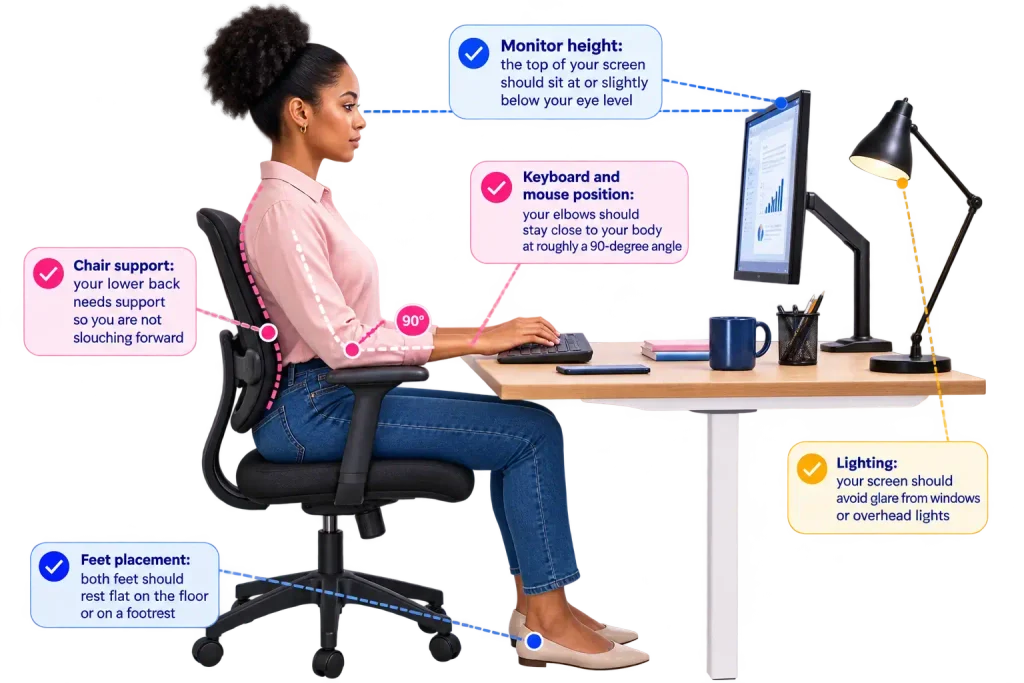
To properly protect yourself during work hours, just understand that these elements work together, so be careful not to set up some and leave the rest, because removing one, such as poor lighting or a chair with no back support, will put extra pressure on the rest of your body to compensate for your carelessness.
Why does desk posture matter for digital earners?
I’m always quick to educate a new digital earner about how important it is for your body to be aligned while you sit and work, and how that alignment plays a bigger role in income generation than they realize. Imagine a swimmer doing her thing in a swimming pool. If her stroking technique is poor, she will burn more energy for less speed, and over time, that bad stroking can lead to shoulder injuries that can end her career early.
That is exactly what happens when you endure a poor desk posture for a long time. It will drain your energy and gradually cause physical damage that eventually forces you to stop working, sometimes for weeks at a time.
Meanwhile, slouched shoulders compress your chest and reduce oxygen flow, which would later leave you feeling tired faster. That also goes for a forward-leaning neck, often called “tech neck.” Tech neck adds extra pressure on your spine with every inch it tilts forward.
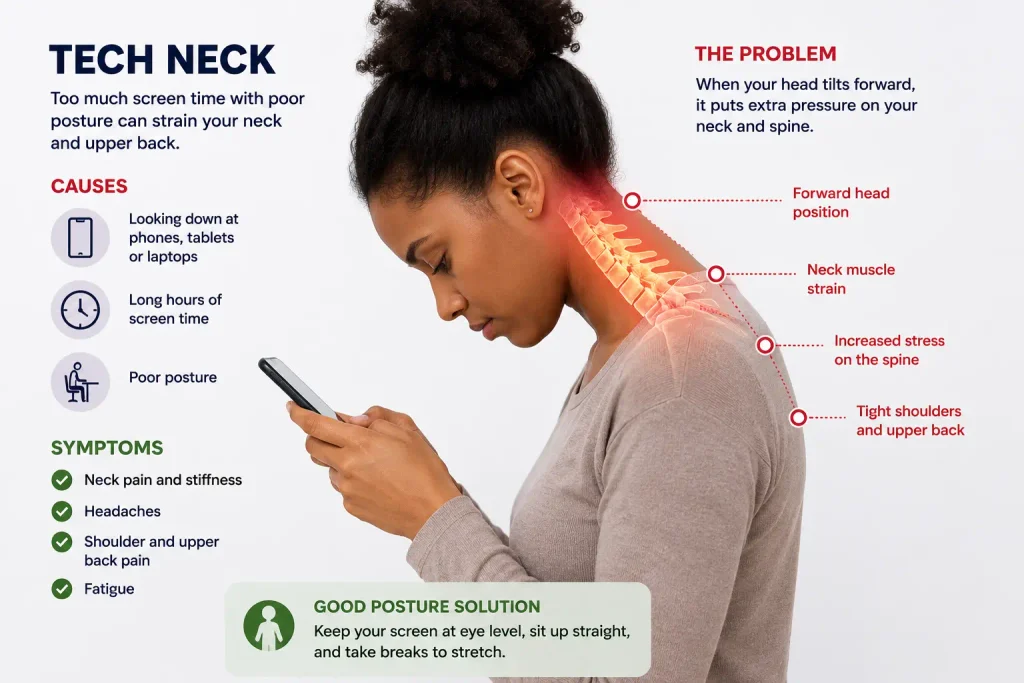
And sitting without lower back support gradually weakens your core muscles, making long work sessions harder to sustain. The bad part is that none of these effects show up in a single day.
That’s why many digital earners only notice this damage once it has already become a chronic problem, such as ongoing back pain or frequent headaches.
Good posture, on the other hand, protects your ability to work consistently. Not just that, it keeps your breathing steady, reduces fatigue, and lowers your risk of repetitive strain injuries that could sideline your income for weeks.
For someone whose earnings depend entirely on their ability to sit and produce work, you must ensure you do not treat this protection as optional. In fact, it is part of running a sustainable online career.
How can you build an ergonomic workspace on a budget?
I fully understand that many online earners still want to improvise to create an ergonomic workspace. We can curate something with what is in your environment. Let us apply some resourceful thinking here to create your safe home workspace.
Here are practical, low-cost fixes you can apply immediately if you’re on a tight budget:
- Stack books or a sturdy box under your laptop to raise the screen to eye level
- Roll up a towel and place it behind your lower back for extra support while sitting
- Use a separate keyboard and mouse if you are working from a laptop, so your screen can sit higher without forcing your arms up
- Place your chair near natural light instead of directly facing a window to avoid screen glare
- Set a timer to stand and stretch every 45 minutes.
The goal is proper alignment, not a specific price tag, because ergonomics is not a luxury reserved for large offices with big budgets. It is a practical skill every digital earner needs, regardless of where they work from or how much furniture they own.
Finally, always remember that your income depends on your ability to sit, type, think, and create consistently, and none of that is possible if pain keeps interrupting your workday. What other major reason do you need?
Your workspace shapes how far your income can go. Therefore, go the extra mile to make it work out.
Join the Earner Care community for practical guides that help digital earners build comfortable, sustainable home offices.